
Let customers book service online and check their vehicle for open recalls, then follow each booking and recall lead through to the repair order.
Online service booking with Xtime
A booking flow connected to Xtime that customers can finish on any device.
- Customers verify, choose their vehicle, services and transportation, pick an advisor, a date and a time, then review and book.
- A one-time code protects returning customers’ vehicles and appointments, and guests can book without one.
- Customers can reschedule or cancel on their own.
- Your store sets the steps, popular services, which transportation options to show and how far ahead people can book.
- Available in English and Spanish.
A trade pipeline from the service lane
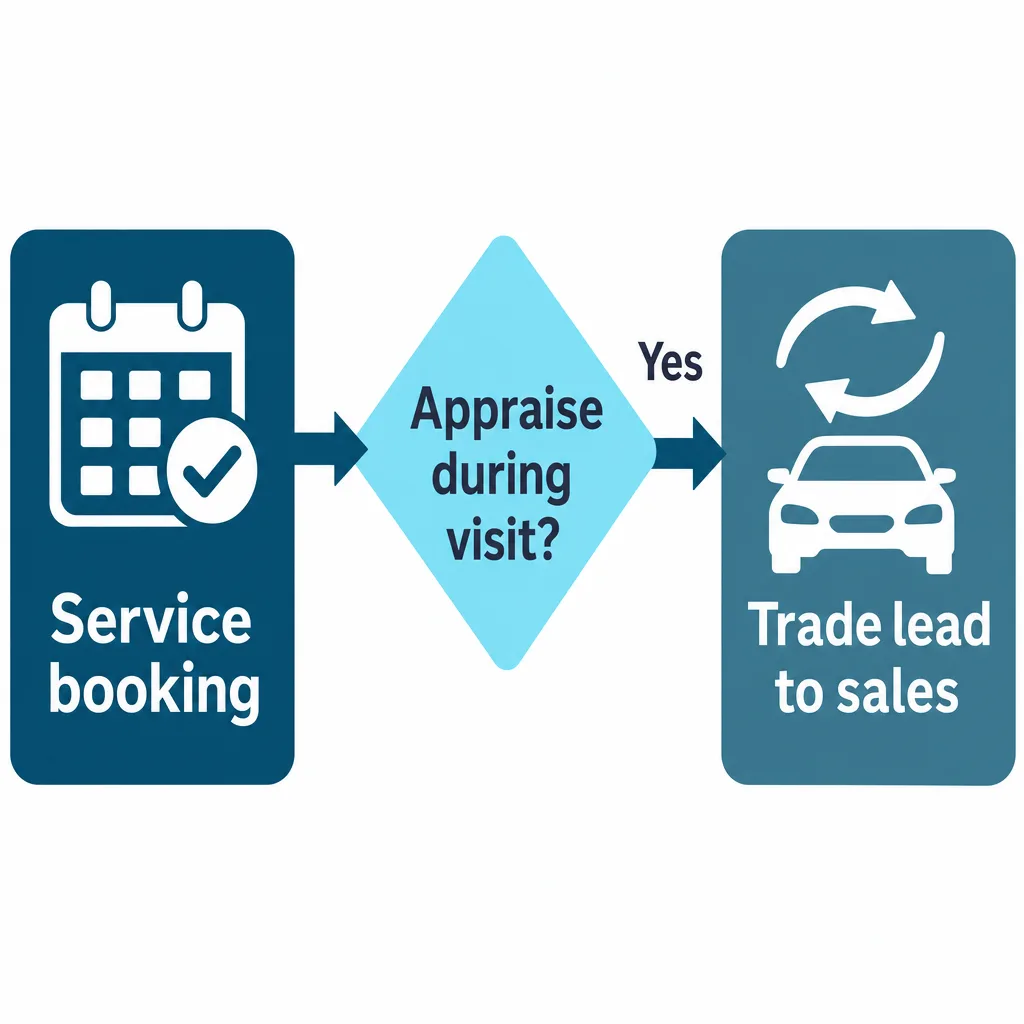
While booking, customers are asked whether they would like their vehicle appraised during the visit.
- A yes sends a trade lead to your sales team.
- The offer is optional and set per store.
Put booking everywhere customers are
Install the scheduler on your website, or send people to a booking page Axion hosts for you.
- Pop-up or inline embed on your website.
- An Axion-hosted page to link from emails, texts, QR codes and your Google Business Profile.
- Funnel reports show where customers drop off, by step and by where they started.
- Every booking creates a contact tagged Service Scheduler, ready to segment and add to a drip campaign.
Recall check that tracks the repair
Shoppers enter a VIN and see open safety recalls. When the same vehicle comes in, Axion connects the visit to the lead.
- Each recall shows its severity, OEM and NHTSA numbers and the remedy.
- Limited to your service area by phone area code, with a call-us number and a message for out-of-area visitors.
- Leads go to your CRM in the standard ADF format.
- Recall-to-repair-order reporting counts converted leads, repair orders and revenue when the same VIN opens a repair order after the lead.
Frequently asked questions
Can customers book dealership service appointments online through Xtime?
Yes. Axion’s online scheduler connects to Xtime and lets customers choose their vehicle, services, transportation, advisor, date and time on any device. Customers can reschedule or cancel on their own, guests can book without a code, and the scheduler is available in English and Spanish.
How can a dealership add a vehicle recall check to its website?
Axion’s recall check lets shoppers enter a VIN and see open safety recalls, each with its severity, OEM and NHTSA numbers and the remedy. It is limited to the store’s service area by phone area code, and leads go to the CRM in the standard ADF format.
Can recall leads be tracked through to repair orders?
Yes. Axion’s recall-to-repair-order reporting counts converted leads, repair orders and revenue when the same VIN opens a repair order after the recall check lead, so a dealership can see which recall leads became paid service visits.
How can the service lane generate trade-in leads?
Axion’s service scheduler can ask customers during booking whether they would like their vehicle appraised during the visit. A yes sends a trade lead to the sales team. The offer is optional and set per store.
Where can a dealership put its online service booking link?
Axion’s scheduler installs on the dealership website as a pop-up or inline embed, or Axion hosts a booking page to link from emails, texts, QR codes and the Google Business Profile. Funnel reports show where customers drop off, by step and by where they started.
See booking and recalls tied to repair orders
We’ll walk through the booking flow, the recall check and the reports that connect them to your service drive.